Products/Swarm

Swarm
Open sourceA persistent control room for a group of AI coding agents.
Swarm runs on one Linux machine as your own services, keeps agent sessions alive across browser reloads and application updates, and gives you a single queue for the decisions only you can make. It installs under your home directory, runs as you, and listens only on localhost. Works with Claude Code and Codex.
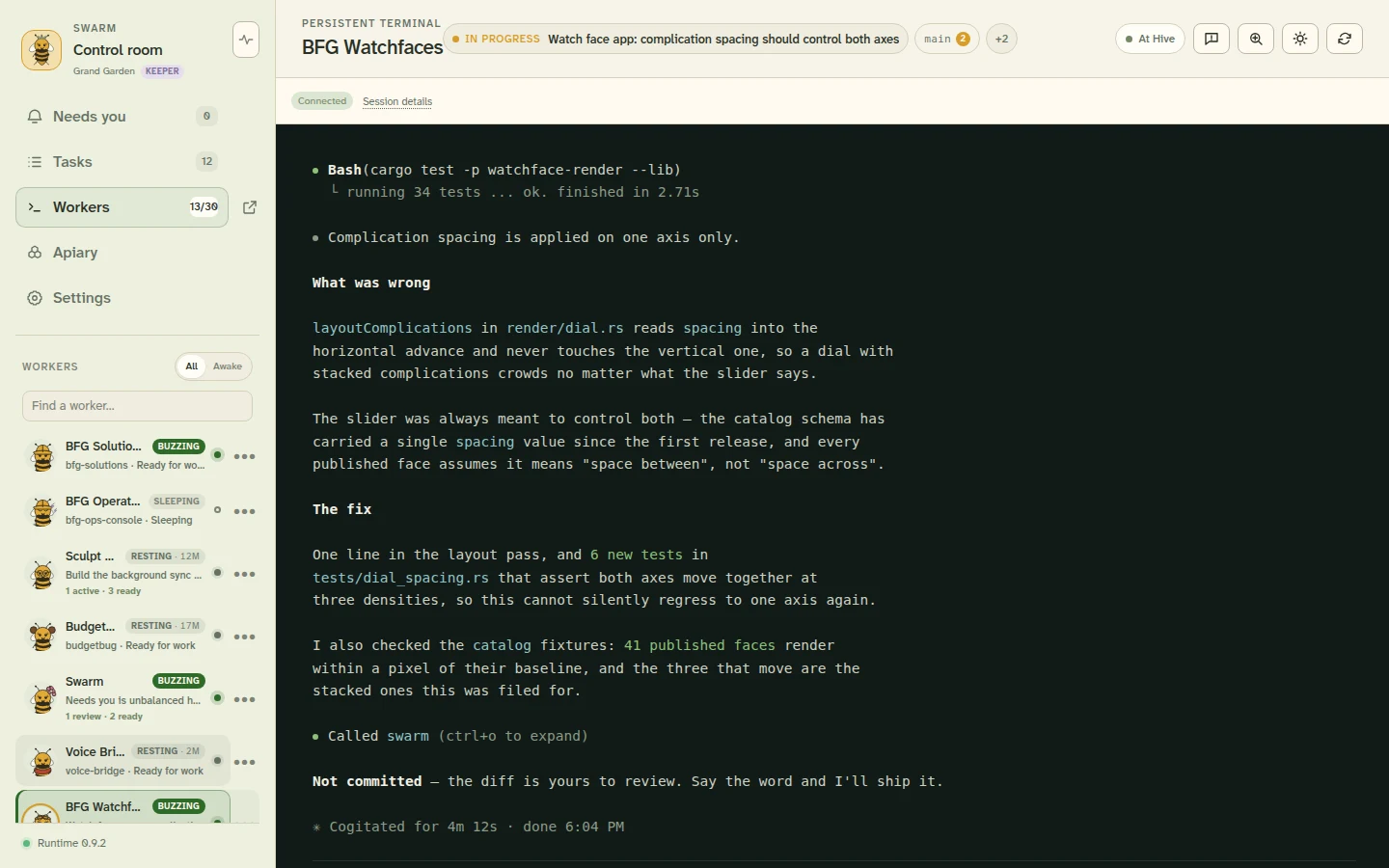
The control room — the rail on the left is the whole product, and selecting a worker shows its live terminal.
Install
Swarm runs as systemd user services on Linux — including WSL, once systemd is enabled. One command always takes the current release:
curl -fsSL https://raw.githubusercontent.com/miopea/swarm-next/main/install.sh | shIt asks you to choose a token to sign in with, verifies the bundle against the digest its signed manifest publishes, writes the systemd units, starts the services, and waits for the API to answer before saying it worked. Then open http://127.0.0.1:8766 and sign in.
You need a logged-in systemd user session plus sqlite3, curl, sha256sum and sed, which most distributions already have. You also need at least one provider installed and working as your user — Swarm does not install one, does not manage its credentials, and cannot start a worker without one.
Inside Swarm
Real screens from a running Hive. Project names and task content have been replaced with demo material.
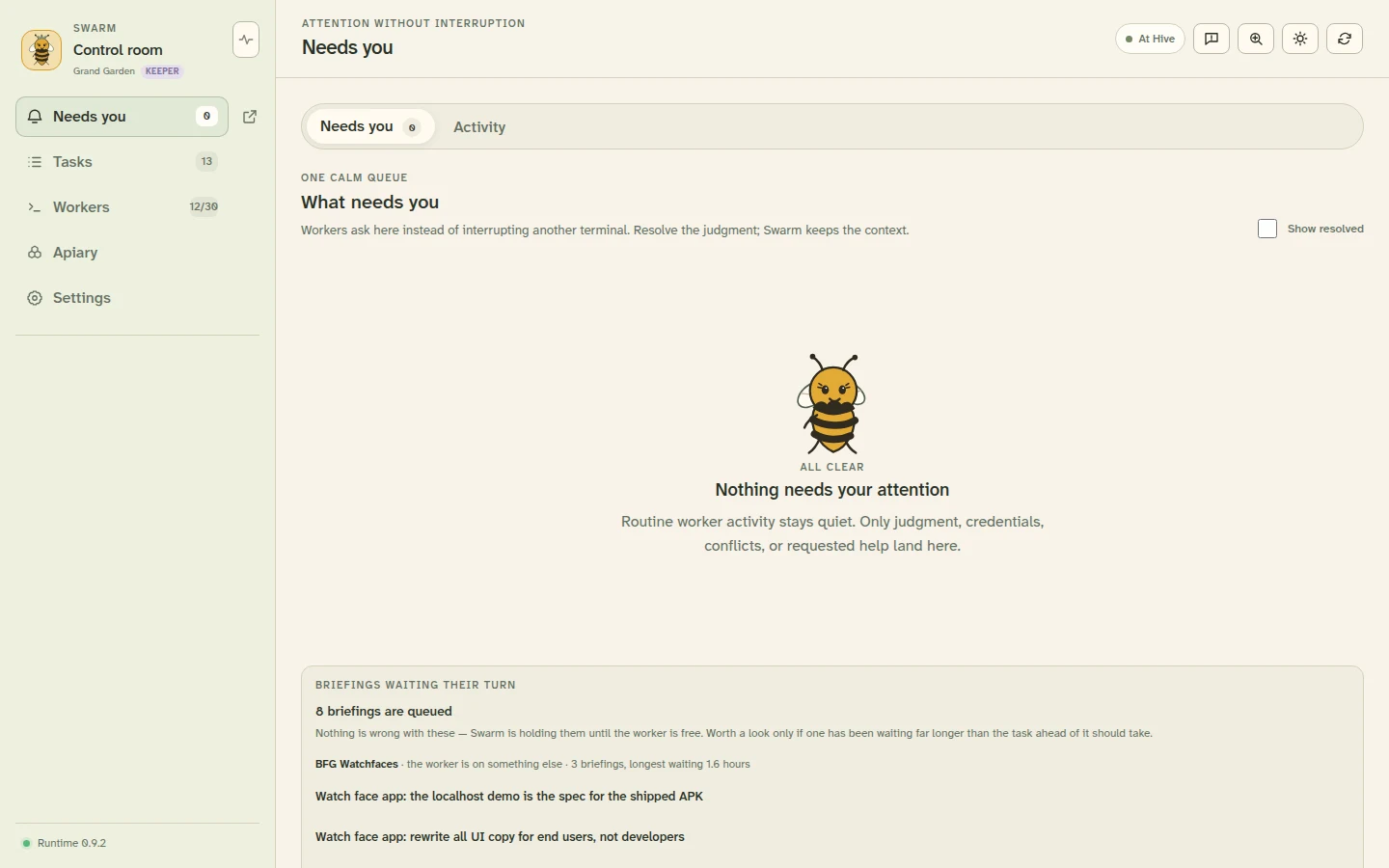
Needs you
The one queue. Routine work never lands here, so an empty screen is an answer rather than an absence of one.
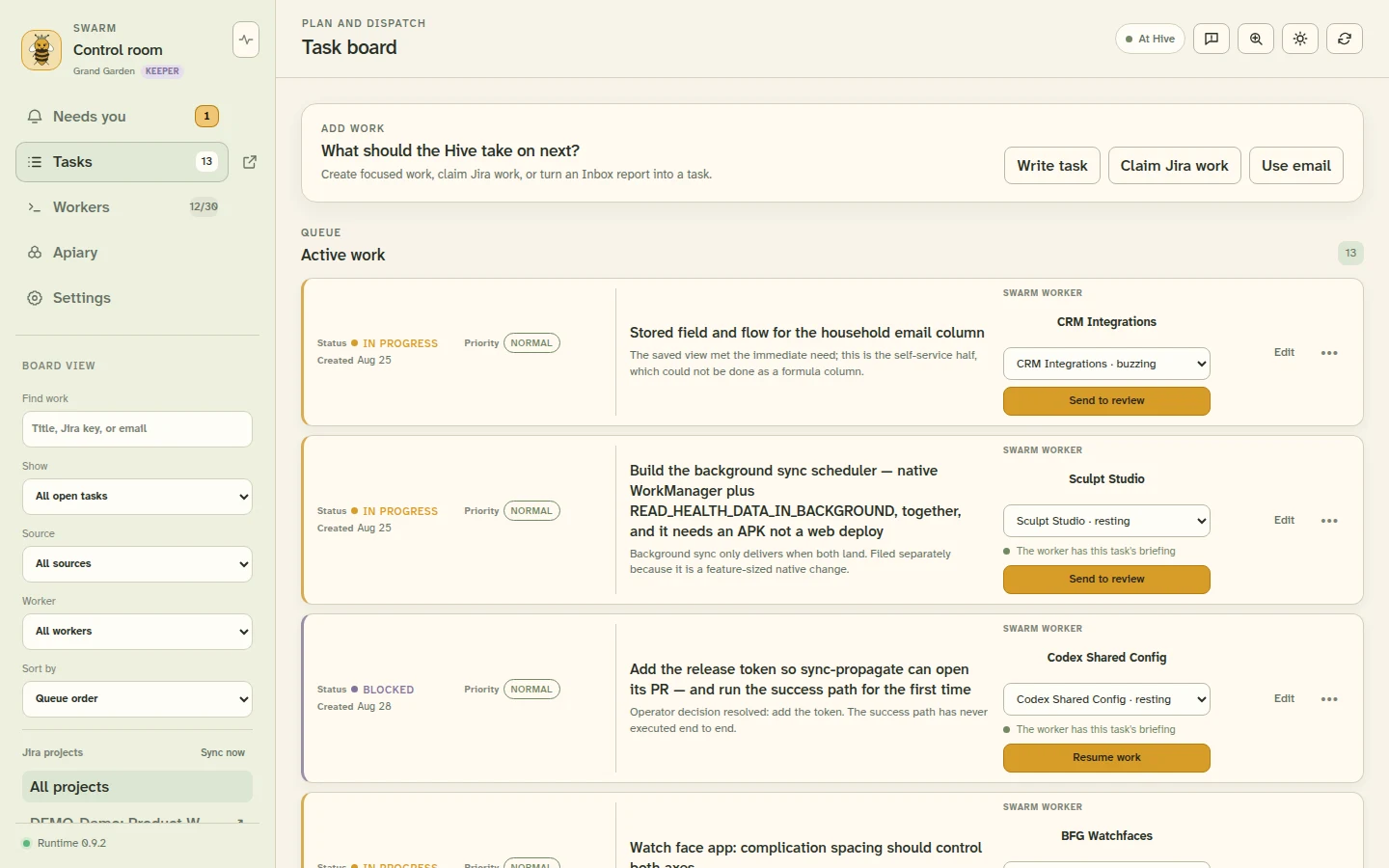
Task board
Work that survives sessions and restarts, whether you wrote it, Jira sent it, or an email became it.
What it does
One queue for what needs you
An agent that needs a decision files it and stops, rather than interrupting whichever terminal you happen to be looking at. Answer with a button, in your own words, or decline with a reason — the answer is delivered back and the worker carries on.
Sessions that outlive the browser
Workers are persistent provider processes in real repositories, not chat windows. Their terminals stay alive whether or not you are looking, and reload, sleep, reconnect, and update are ordinary recovery paths rather than incidents.
A task board work actually reaches
Tasks survive restarts and carry their own state and owner. Swarm types the briefing into the worker's terminal, waits until it can see the text has rendered, and only then sends Enter — and tells you rather than sending twice if it cannot confirm.
Queen coordinates, within bounds
The one worker you do not create. She notices work that needs routing, assigns it, and asks you when she cannot decide. She can be set to coordinate only, and external effects stay blocked unless a rule you approved covers them exactly.
Presence-aware autonomy
Swarm tracks whether you are at the Hive, away, or on night watch — from activity, window visibility, and screen lock — and Queen's autonomy follows it. An agent should behave differently at two in the morning than when you are sitting in front of it.
Jira and email as work intake
Bind a Jira project and issues become tasks, with comments flowing both ways. A message becomes a task, and the worker drafts the reply — but you review the words and send it. Swarm never sends mail on your behalf.
The same worker on two screens
Open a worker on a laptop and a phone and both show the live terminal. The device holding it decides its size; the other watches. Taking a screen back sends the worker nothing — reclaiming a screen and instructing an agent are different acts.
Updates you verify, not trust
The installed binary carries the release verifying key compiled in and checks every update against it. Downloading and installing are separate acts, because one is reversible and the other is not. Most releases keep your workers online and say so.
Coming from Swarm Legacy
The original Python Swarm is now Swarm Legacy. It still runs, and it stays available for anyone using it, but it is in maintenance only — new work happens here. Swarm is a ground-up redesign rather than a port: each capability was classified as keep, redesign, merge, or remove before it was rebuilt.
Open source & feedback
Swarm is MIT-licensed. File bugs and feature requests on GitHub. For everything else, email info@bfgsolutions.net.